

A Pi extension that runs Pi on persistent, branchable LayerFS projects. Pi’s ordinary file and Bash tools work on a LayerFS Branch instead of the host directory; the lead agent can spawn independent worker agents, each on its own Branch, then merge and publish their work; and a local dashboard shows every actor’s calls, the Commit history, saved files and storage. It uses Pi’s public extension and AgentSession APIs without modifying Pi core.
What it adds
- SDK-backed replacements for Pi’s
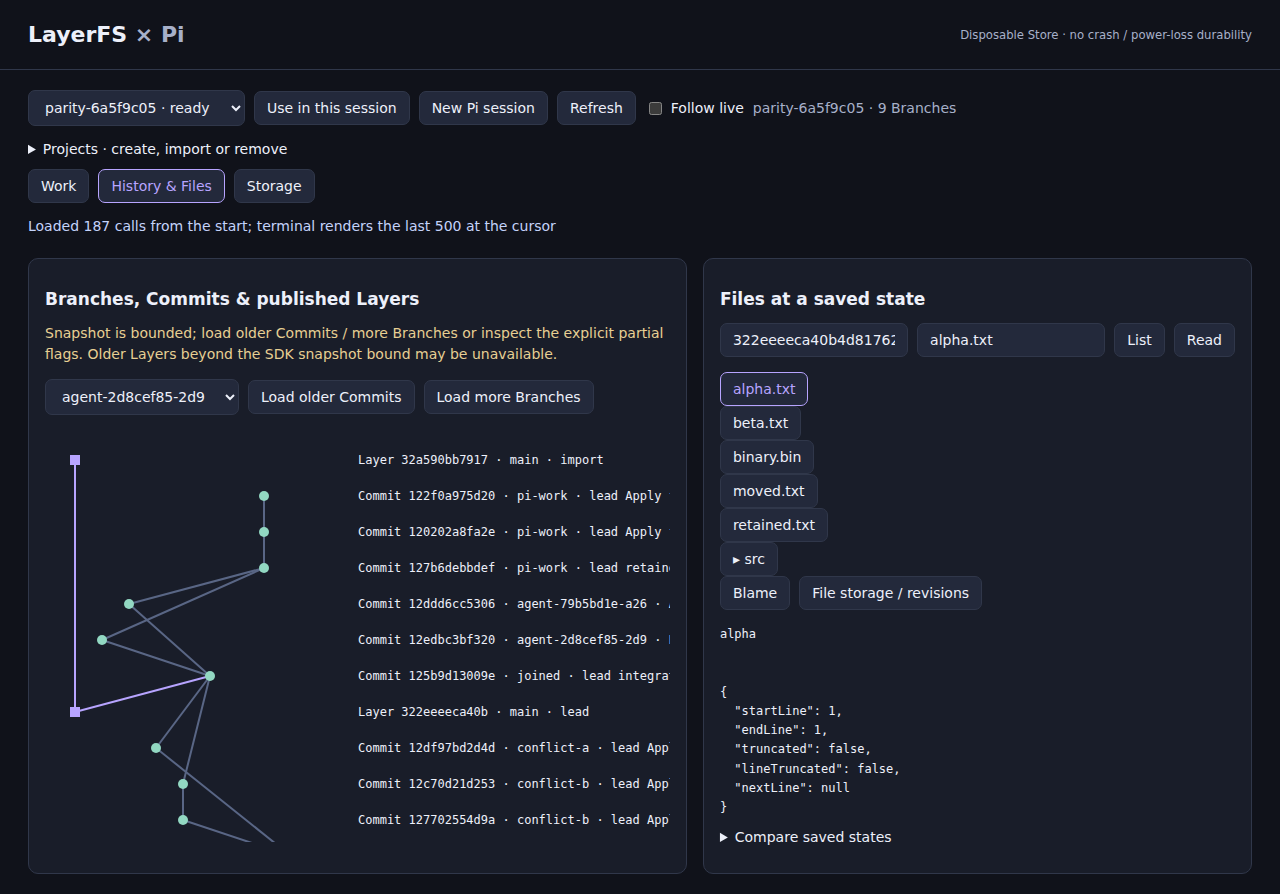
read,write,edit,bash,ls,findandgrep. Each Bash command mounts the active Branch, runs, commits a completed command (normal nonzero exits included) and unmounts. layerfs_branch: list, fork, switch, merge into a new named Branch, lead-only publish, and Branch/Commit differences.layerfs_fs: historical read/list/stat/blame/diff, text and base64 writes, edit, mkdir/cp/mv/rm/apply.layerfs_workspaceandlayerfs_process: a retained Workspace kept between commands, and tracked background processes, each needing an explicit commit or discard.layerfs_agent:spawn,list,messageandcancelfor lead-owned Pi workers. Workers are public Pi AgentSessions with independent Branches and their own transcripts; they cannot publish, manage projects or spawn further workers.layerfs_projectandpi-layerfs --manage-projects: create, import, select and remove projects, each in its own Docker volume./layerfs ui: a dashboard on127.0.0.1with a random token. Work shows per-actor command and SDK-call records and live Sandbox/Workspace snapshots; History shows Branches, Commits, merge parents and published Layers with playback of recorded calls; Files shows saved state, blame, revisions and comparisons; Storage shows logical, stored and metadata metrics per Commit.
How it works
The pi-layerfs launcher runs Pi 1.4.0 with the extension in a bundled Docker image. It mounts the host source read-only, generates a deterministic project and Branch outside it, and gives each canonical project directory its own Store volume, so reopening the same directory reuses its Store and history; nothing is written into the host source. The extension calls the LayerFS 1.1.0 @layerfs/agent and @layerfs/backend packages (from the pinned LayerFS commit, unmodified) and the bundled layerfs-daemon. Each SDK call is attempted once; refusals such as Busy, Dirty or Conflict are reported for explicit resolution. Model credentials and Pi settings live in a separate private volume; use Pi’s /login as usual.
You need
- Linux x86_64 with
/dev/fuse. - Docker Engine reachable through its Unix socket, and plain local Docker volumes on ext4, xfs or btrfs.
- To build from source: Git and Node 22.19 or newer. The native build runs in the
rust:1.85.1-bookwormimage, so no host Rust toolchain is needed. - Credentials for a model provider.
The built archive contains the plugin, the LayerFS packages, native binding and daemon, Pi 1.4.0 and the runtime image; installing it downloads nothing.
Limits
- The install prompt covers Linux x86_64. The
linux/arm64archive built from the same commit also passed the plugin’s real-host acceptance on an Apple Silicon Mac with OrbStack (macOS notes); no macOS archive is released. - LayerFS 1.1.0 can refuse to unmount a Workspace and keep it wedged (#426). The plugin avoids the deterministic trigger by waiting until a new Sandbox is 1.5 s old before mounting. The rarer variant can still occur after a timed-out command; start a new session if it does.
- LayerFS here uses a Disposable Store (WAL,
synchronous=OFF): history persists across normal sessions but has no crash or power-loss durability. Keep another copy of irreplaceable source data. edittakes{path, oldText, newText}, not Pi’sedits[];readis bounded UTF-8 text. Binary files go through base64 inlayerfs_fs.- Foreground commands cannot be aborted mid-run; cancellation waits for the command (or its timeout) to finish, then discards. A Workspace is not a security sandbox, and other extensions or direct host APIs can bypass the integration.
- Initialization and removal locks have no automatic stale takeover; after a crash, recovery is manual and evidence is kept rather than deleted.
- Not published to the npm registry; install from the GitHub release.